Today, growth isn’t just about goods or services; it’s also about giving your customers a great experience. Businesses need more than a simple tool to keep up because every touchpoint is important. A smart CRM that can grow with them is what they need. Here comes Salesforce, the best cloud-based CRM in the world. Salesforce helps companies of all sizes connect more deeply, move faster, and get stronger. It was made to change, grow, and spark new ideas.
This Salesforce Admin and Developer Guide is not about jobs. Instead, it’s about how to handle Salesforce and make it bigger to meet the needs of a business. It shows how configuration (Salesforce management) and customisation (Salesforce development) work together to make a full CRM system.
- For business teams, this guide shows how admins set up Salesforce to make work easier.
- For technical teams, It shows how developers add more advanced tools to Salesforce.
- For businesses, it stresses how combining admin and developer methods guarantees long-term ROI and the ability to grow.
Understanding Salesforce at a Glance
Salesforce is built on two bases that work together to make it flexible enough to handle almost any business situation:
- Configuration (Admin side): Tools such as validation rules, page layouts, and flows are accessible via point-and-click. These allow quick solutions that don’t need code.
- Customisation (Developer Side): Code-based solutions such as Apex, APIs, and Lightning Web Components (LWC). These meet the needs for advanced business processes and integration.
Salesforce works best when it knows when to rely on setup and when to add on to it with customisation.
Core Salesforce Administration Essentials
The backbone of Salesforce is its administration. As a result, the method is safe, effective and in line with how the business works.
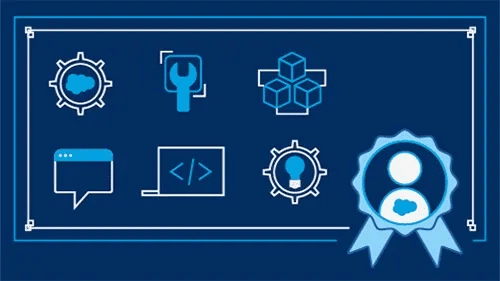
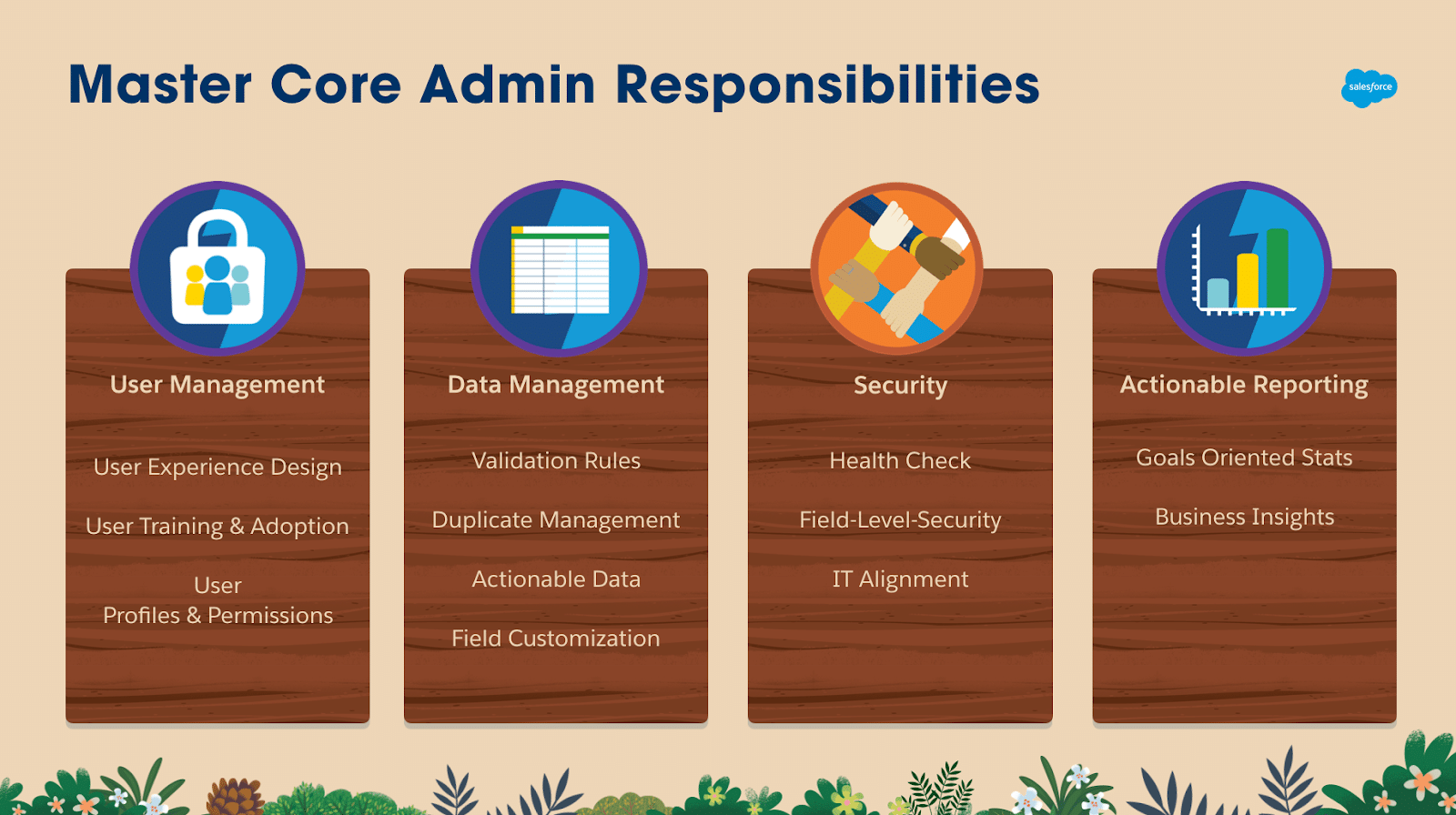
- Managing users: To control who can see what, administrators set up roles, profiles and approval sets. For protection reasons, they also limit login IPs and use two-factor authentication.
- Analytics: The info in Salesforce needs to stay correct and dependable. Configuring standard and custom objects, making validation rules and importing or exporting records with tools like Data Loader are all things that administrators do.
- Automation tools: Admins can do less work by hand by automating tasks. Workflow Rules (old), Process Builder (multi-step logic) and Flow Builder (future-ready automation) fasten, and smarten Salesforce processes.
- Reporting and Dashboards: Administrative staff create real-time reports and dashboards that give leaders and teams immediate information. User sees KPIs that are important for their jobs thanks to dynamic screens.
- Security & Compliance: It is imperative to safeguard private data. Organization-wide settings, share rules and field-level security are managed by administrators. GDPR, and HIPAA compliance is handled by Salesforce Shield.
A well-structured plan for managing Salesforce increases adoption, makes decisions easier and lowers risks. If you are striving to get a Salesforce Admin certificate then visit Mytutorialrack now.
Core Salesforce Development Essentials
When a business needs more than what’s available out of the box, developers can make changes.
- Customisation with Apex: Developers write Apex triggers to perform actions at the record level and Apex classes to handle business logic that can be used again and again. Bulkification makes sure that the system works well with big information.
- Lightning Web Components (LWC): LWC is used to make modern, responsive user interface parts. Users will have a smooth and quick experience with these parts because they work well with Salesforce data.
- Add-ins and APIs: REST and SOAP APIs let developers link Salesforce to ERP, marketing tools and other apps. Platform Events and Streaming APIs let systems talk to each other in real time.
- DevOps and CI/CD: Developers handle version control and continuous delivery with tools such as Salesforce CLI, Git, Copado and Gearset. Change sets or automated processes can be used to handle deployments.
- Testing and Debugging: Before release, Salesforce needs at least 75% of unit tests to be passed. To keep things reliable, developers use Debug Logs, Developer Console and automated test routines.
Salesforce Development ensures that the platform can adapt to different business needs that configuration alone cannot handle. You can also become a Salesforce Developer by learning basic and advance concepts related to Apex programming language
Salesforce Admin and Salesforce Developer Comparison
Here is a clear table that shows how the duties, skills, and areas of focus of a Salesforce Admin and a Salesforce Developer are different from one another.
| Aspect | Salesforce Admin (Configuration) | Salesforce Developer (Customisation) |
| Primary Focus | Configures Salesforce using point-and-click tools | Extends Salesforce with custom code and integrations |
| Key Tools | Setup menu, Flow Builder, Process Builder, Validation Rules, Reports & Dashboards | Apex, Visualforce, Lightning Web Components (LWC), APIs, Salesforce CLI |
| Approach | “Clicks, not code” – focuses on usability and business alignment | “Code when needed” – builds solutions beyond standard features |
| Responsibilities | – Manage users, roles, and permissions- Ensure data integrity- Automate processes with Flows- Build reports and dashboards- Maintain security & compliance | – Write Apex triggers and classes- Develop LWCs for custom UI- Build integrations with APIs- Implement DevOps & CI/CD pipelines- Optimize performance and scalability |
| Business Value | Improves efficiency, adoption, and reporting without heavy development costs | Solves complex challenges, enables advanced features, and scales Salesforce for large enterprises |
| Learning Resources | Salesforce Trailhead (Admin tracks), Admin study guides, Salesforce community | Salesforce Trailhead (Developer tracks), Apex & LWC documentation, Salesforce Dev forums |
| Best For | Teams that need quick setup, automation, and reporting without coding | Teams that need custom logic, integrations, or advanced UI beyond admin capabilities |
Admins and developers work well together in Salesforce. Admins make sure the system is easy to use and follows the rules, while developers allow for more customisation and expansion.
Bridging Admin and Developer Workflows
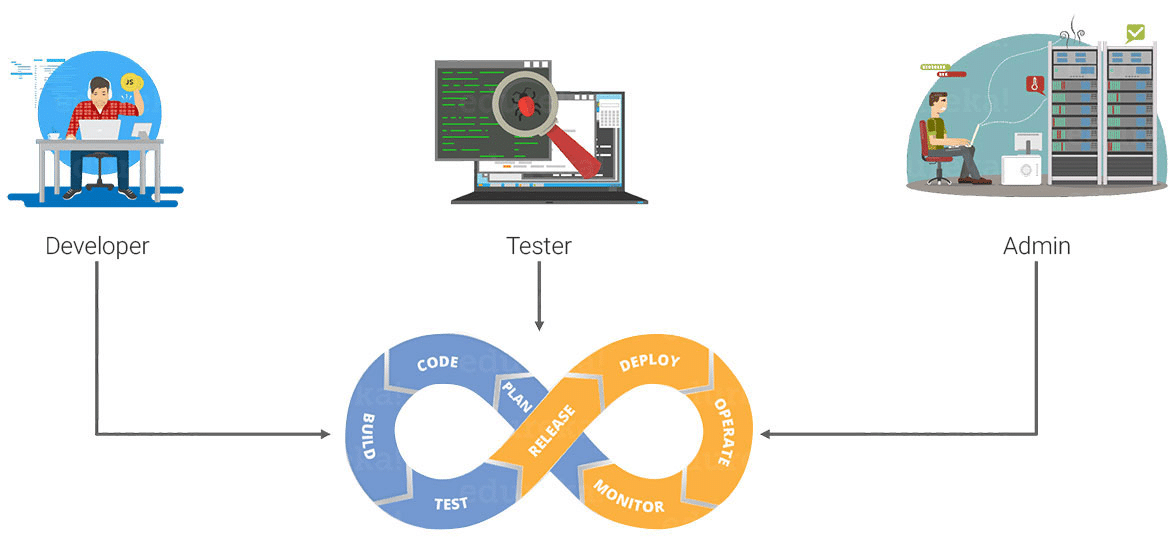
When admins and developers work together, Salesforce deployments go very well. Their combined skills make it possible to grow and work efficiently.
- Admins are in charge of setting up users, making sure everything is safe and automating tasks without writing any code.
- Developers work on interfaces, scalability and advanced customisation.
- For example, an administrator creates a flow for lead assignment, but when the criteria grow too complex, a developer optimises it with Apex.
- Best Practice: Configuration-based methods should always be tried first and customisation should only be used when it is really needed.
This partnership cuts down on unnecessary work, avoids building up technical debt and encourages long-term progress.
Tools and Best Practices
For organisations to get the most out of Salesforce, they need both good control and the right tools.
- Data Loader: This is a must-have for importing or exporting big amounts of data.
- Salesforce CLI is a command-line tool for handling Salesforce orgs that is easy for developers to use.
- VS Code Extensions: Give you a full setting for writing code and fixing bugs.
- Sandboxes: There are safe places called sandboxes where teams can test changes before putting them into production.
Best Practices for Governance:
- Keep code clean and write down changes to avoid technical debt.
- Approach that puts security first: Check access and rights before deploying.
- Plan for growth: When you make items, automation, and integrations, keep future growth in mind.
These methods and tools help keep things legal, cut down on mistakes, and keep the system healthy over time.
Common Situations and Use Cases
Administrators and workers can see how useful Salesforce is in the real world when they work together to solve business problems:
- Automating the assignment of leads:
- Flow is used by admins to set up lead route rules.
- Apex logic is added by developers for advanced score and distribution.
- Changing the way sales are made:
- Opportunity steps and page layouts are set by administrators.
- A “Deal Health Score” is shown on LWCs by developers.
- Adding ERP systems to the mix:
- Admins set up secure authentication for apps that are linked.
- To keep customer and order info in sync, developers make API integrations.
These examples show how managing Salesforce and making changes to Salesforce work well together.
Learning Materials
Salesforce has a lot of tools for students to keep learning:
- Trailhead is Salesforce’s free, game-based learning tool for people of all skill levels.
- There are detailed guides for both admins and writers in the official documentation.
- There are community forums like StackExchange, Reddit, and the Salesforce Success Community.
- Events include Dreamforce, the Salesforce World Tour, and get-togethers in the local neighbourhood.
- Blogs and YouTube: How-to videos, case studies, and best practices from experts.
Salesforce releases changes three times a year, in the spring, summer, and winter. Teams can stay on top of new features by continuing to learn.
Conclusion
The real power of Salesforce lies in how well it balances growth and administration. A good Salesforce Admin and Developer Guide helps businesses figure out when to set up and when to make changes.
- Admins make sure that the system works with business processes, is easy for users to understand, and follows the rules.
- Developers add flexible, code-based solutions to Salesforce.
- Both approaches work better for organisations when they are combined into a single plan.
Companies can turn Salesforce into more than just a CRM with the right mix of Salesforce management and Salesforce development. This will help them grow through 2025 and beyond.
Bottom Line
The Salesforce Admin and Developer Guide: A Comprehensive 2025 Resource is not just a book; it’s also a plan for how to align configuration and customisation to make a safe, scalable, and high-performing CRM system. Businesses can use Salesforce to its fullest ability to drive growth and new ideas by combining the skills of admins and developers.
Professionals who want to improve their skills can use sites like Mytutorialrack, which is run by Salesforce trainer Deepika Khanna, to learn both admin and developer skills through structured classes, hands-on projects, and mentorship. People and businesses can make sure their Salesforce journeys go well into the future, well past 2025, if they get the right help and keep learning.